Best Free Spotify Playlist Downloader Tool: SpotiDown.org
Spotify is the world’s leading music streaming platform, offering millions of songs, playlists, and podcasts. While Spotify Premium allows users to download playlists for offline listening, these downloads are encrypted and can only be played within the Spotify app. For users looking for a free solution to save Spotify playlists as MP3 files, SpotiDown.org is one of the most popular tools available.
This article explores what SpotiDown is, how it works, and why it’s considered one of the best free Spotify playlist downloaders.
1. What is SpotiDown.org?
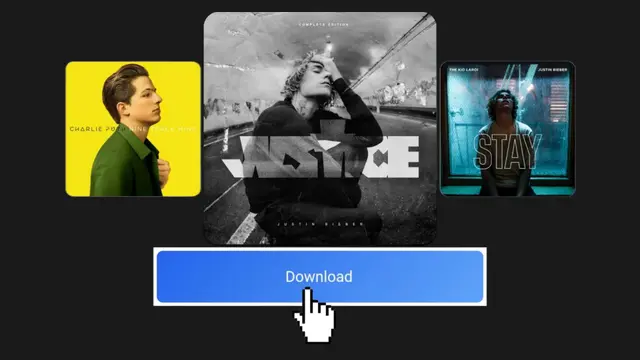
SpotiDown.org is a web-based Spotify playlist downloader that allows users to download songs, albums, and playlists from Spotify in MP3 format. Unlike software programs that require installation, SpotiDown works entirely in your web browser, making it convenient for both Windows and Mac users.
Key Features of SpotiDown.org:
- Free to use, with no subscription required
- Downloads songs, albums, and playlists as MP3 files
- Compatible with Windows, Mac, and Linux via a web browser
- Fast download speeds depending on your internet connection
- No installation required
SpotiDown.org has gained popularity because it provides an easy, accessible way to get Spotify content in a format that can be played on any device.
2. How SpotiDown Works

SpotiDown.org works by taking the Spotify track, album, or playlist link and converting it into downloadable MP3 files. The process is simple and does not require advanced technical knowledge.
Step-by-Step Process:
- Open Spotify and navigate to the playlist, album, or track you want to download.
- Copy the Spotify share link of the content.
- On mobile or desktop, right-click on the playlist/album/song → Share → Copy Link
- Visit SpotiDown.org in your web browser.
- Paste the copied Spotify link into the input field on the website.
- Click Download or Start.
- The website will process the link and provide a list of MP3 files for download.
- Click Download MP3 for each song or use the batch download option if available.
Once downloaded, the MP3 files can be played on any device, shared with personal devices, or backed up for offline use.
3. Why SpotiDown.org is Popular
Several factors make SpotiDown.org a preferred choice for free Spotify playlist downloads:
- No Installation Needed: Since it’s a web-based tool, you don’t need to install additional software, which is convenient for Mac and Linux users.
- Free to Use: Unlike many paid converters, SpotiDown does not require a subscription or registration.
- Supports Large Playlists: Users can download full playlists without restrictions.
- Simple Interface: The website has a clean, intuitive interface that’s easy to use, even for beginners.
- Cross-Platform: Works on any device with a modern browser, including Windows PCs, MacBooks, and Chromebooks.
4. Advantages of Using SpotiDown
- Offline Access: Downloaded MP3s can be played without an internet connection.
- Device Flexibility: MP3 files can be transferred to phones, tablets, smart speakers, and more.
- Data Savings: Once downloaded, you can play the songs without using mobile data.
- Backup Option: Maintain a permanent copy of your favorite Spotify playlists.
5. Considerations and Limitations
While SpotiDown.org is convenient, there are a few important considerations:
- Copyright Laws: Downloading Spotify songs using third-party tools may violate Spotify’s Terms of Service and copyright laws. It’s recommended to use downloaded files for personal use only.
- Quality Limitations: Some web-based converters may have lower audio quality compared to Spotify’s original high-quality streams.
- Ad-Supported: SpotiDown.org may display ads or pop-ups on its website, so users need to navigate carefully.
- Batch Download Restrictions: While individual song downloads are easy, downloading very large playlists may require multiple steps or more time.
6. Tips for Using SpotiDown.org Safely
To make the most of SpotiDown.org and avoid potential issues:
- Use a reliable browser: Chrome, Edge, or Firefox are recommended for stability.
- Avoid downloading copyrighted material for sharing: Stick to personal use.
- Check the file names: Sometimes the downloaded MP3s may need renaming for easier organization.
- Ensure adequate storage space: Large playlists can take up several gigabytes.
- Use antivirus protection: While SpotiDown is generally safe, it’s good practice to have security software when downloading files from the internet.
7. Alternatives to SpotiDown.org
Although SpotiDown.org is free and convenient, there are other tools and methods for downloading Spotify playlists:
- AudFree Spotify Music Converter – Paid software with high-quality output and batch conversion
- Sidify Music Converter – Allows MP3, WAV, and FLAC downloads
- AllToMP3 – Free desktop software for Windows, Mac, and Linux
- TunePat Spotify Converter – Offers flexible output formats and fast conversion speeds
Each tool has its pros and cons, but SpotiDown.org stands out for being free, web-based, and easy to use without installation.
8. Conclusion
SpotiDown.org is one of the best free Spotify playlist downloader tools available today. It allows users to quickly and easily download Spotify songs, albums, and playlists in MP3 format without installing any software. While it has some limitations, such as potential copyright concerns and ads, it remains an accessible option for anyone looking to enjoy Spotify content offline and on any device.
By using SpotiDown.org responsibly for personal use, you can create a flexible offline music library, backup your favorite playlists, and listen to your music anywhere, anytime.