How to Download Spotify Songs Without Premium
Spotify is one of the most popular music streaming platforms worldwide, offering millions of songs, playlists, and podcasts. While Spotify Premium users enjoy the ability to download music for offline playback, free users are limited to streaming content online and cannot officially download songs. However, there are ways to listen to Spotify music offline without a Premium subscription, using legal and safe methods. This article explores those methods, their benefits, and precautions to take.
1. Understanding Spotify Free Limitations
Spotify offers two types of accounts: Free and Premium. Free accounts provide access to the entire Spotify library, but there are some restrictions:
- You cannot download songs for offline listening.
- Playback is ad-supported, meaning interruptions occur between songs.
- Shuffle mode is enforced for most playlists on mobile devices.
- High-quality streaming may be limited compared to Premium.
These limitations are designed to encourage users to upgrade to Premium. However, free users can still enjoy music offline through certain legal methods, without violating copyright laws.
2. Using Spotify’s Offline Playback Alternatives
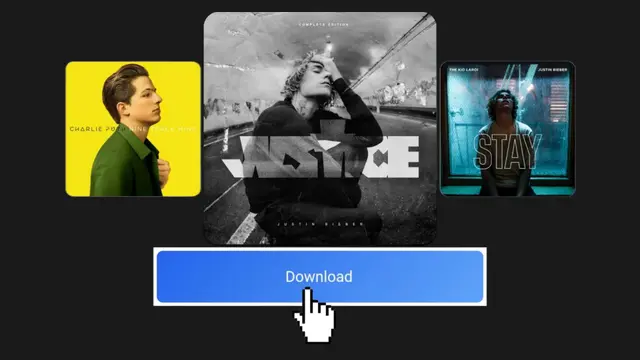
Even without Premium, there are ways to make Spotify music accessible offline:
a. Spotify Web and Desktop Player
Spotify allows free users to listen via the desktop or web app. While this does not officially enable offline playback, you can:
- Keep Spotify open on your desktop and let your playlists play continuously.
- Use offline caching features in the browser or desktop app for temporary playback.
b. Third-Party Apps and Tools
Some software and web tools can convert Spotify songs to formats like MP3 for personal use. Examples include:
- SpotiDown.org – A web-based tool to download Spotify playlists or individual songs in MP3 format.
- AllToMP3 – A free desktop application available for Windows, Mac, and Linux that converts Spotify tracks to MP3.
- Sidify Music Converter (Free Trial) – Allows you to download and convert Spotify songs to MP3, WAV, or FLAC.
These tools are typically free or offer limited free features. Users should only download music for personal use and not share files publicly, as doing so may violate copyright laws.
3. Using Audacity or Audio Recording Software
Another legal approach is to record Spotify songs using audio recording software. While this does not directly download songs, it captures them in real-time and saves them as MP3 files.
Steps to Record Spotify Songs:
- Install an audio recording tool like Audacity (free) on your computer.
- Configure the software to record system audio or “Stereo Mix.”
- Open Spotify and play the song you want to record.
- Start recording in Audacity and stop once the track finishes.
- Export the recording as an MP3 file.
This method ensures you have a personal copy of the song for offline listening. While it takes longer than direct downloading, it is completely legal for personal use.
4. Using YouTube or Other Legal Platforms
Many Spotify songs are also available on YouTube or other platforms that allow offline playback. You can:
- Search for the song or playlist on YouTube.
- Use YouTube’s offline playback feature (available with YouTube Premium or YouTube Music).
- Download tracks for personal listening using tools that comply with YouTube’s terms of service.
While this approach may not capture the exact Spotify experience, it provides a legal way to listen to music offline without paying for Premium.
5. Considerations and Precautions
When attempting to download or convert Spotify songs without Premium, keep the following in mind:
- Respect Copyright: Only use downloaded songs for personal listening. Avoid distributing files publicly.
- Check Software Safety: Free converters or recording tools may include ads or malware. Use trusted programs only.
- Audio Quality: Converting or recording songs may reduce audio quality compared to Spotify Premium streaming.
- Account Safety: Avoid entering your Spotify login credentials into unverified apps, as this can compromise your account.
By following these precautions, you can enjoy offline music safely and legally.
6. Why Consider Upgrading to Spotify Premium
While there are workarounds for free users, Spotify Premium still offers significant advantages:
- Official offline downloads of playlists and albums
- High-quality streaming (up to 320 kbps)
- Ad-free listening experience
- Unlimited skips and access to shuffle-free playback on mobile devices
For users who frequently listen to music offline or want higher audio quality, Premium may be a worthwhile investment.
7. Conclusion

Downloading Spotify songs without Premium is possible through several legal methods, such as using web-based downloaders, audio recording software, or alternative platforms like YouTube Music. While free users cannot access official offline downloads, these alternatives allow offline listening, playlist backup, and personal music management.
Always ensure that downloaded or recorded music is used for personal purposes only, and avoid sharing files publicly to respect copyright laws. By combining these techniques, Spotify users can enjoy their favorite songs offline without paying for a Premium subscription, while still staying safe and legal.