Spotify Playlist to ZIP File Download
Introduction
Let’s say you’ve built the perfect Spotify playlist. Maybe it took months. Maybe even years. Every track carefully selected. Every transition intentional. Now you’re wondering:
How do I download my Spotify playlist as a ZIP file?
At first glance, it sounds simple. Download the songs. Compress them. Done. Right?
Not exactly.
Spotify is a streaming platform, not a file distribution service. When you click “Download” inside Spotify, you’re not getting MP3 files that you can zip into a folder. Instead, you’re getting encrypted offline files locked inside the app.
That’s where the confusion begins.
If your goal is to:
- Back up a playlist
- Transfer it to another device
- Store songs on a USB drive
- Create a ZIP archive of MP3 files
- Share music files offline
Then you need to understand what Spotify allows—and what it doesn’t.
In this complete guide, we’ll break down:
- Whether Spotify playlists can be downloaded as ZIP files
- Why the ZIP option doesn’t exist
- What alternatives are available
- Safe and legal ways to manage your music
Let’s start by clearing up the biggest misconception.
Can You Download a Spotify Playlist as a ZIP File Directly?

No.
Spotify does not provide an option to download a playlist as a ZIP file.
There is:
- No “Export to ZIP” button
- No “Download as MP3 folder” option
- No direct file access feature
Even with Spotify Premium, downloads are encrypted and stored inside Spotify’s protected storage.
You cannot:
- Open them in File Explorer
- Drag them to your Desktop
- Compress them into a ZIP file
- Share them as standard audio files
Spotify’s system is built specifically to prevent this.
What Happens When You Download a Playlist in Spotify?
When you toggle “Download” on a playlist (Premium only):
- Songs are stored locally
- Files are encrypted
- Playback works offline
- Files remain locked to your account
These files are not MP3s.
They’re protected audio segments that only Spotify can read.
Even if you find the storage folder on your computer, you’ll see strange file names with no playable format. Zipping that folder won’t give you usable music files.
Think of it like downloading a Netflix movie for offline viewing. It’s on your device—but you can’t extract the video file.
Why Spotify Doesn’t Allow ZIP Downloads
Spotify operates under licensing agreements with record labels and artists.
Allowing ZIP downloads would mean:
- Users could redistribute music freely
- Copyright protections would break
- Revenue models would collapse
So Spotify uses DRM (Digital Rights Management) to:
- Encrypt downloaded content
- Lock playback to the app
- Require subscription verification
- Prevent file sharing
It’s not a technical limitation—it’s a business and legal design.
If You Need a ZIP File, What Are Your Options?

Now let’s talk solutions.
If your goal is a ZIP file containing playable MP3 songs, you have two legitimate paths.
Option 1: Purchase the Songs Legally as MP3 Files
If you truly need:
- Permanent files
- Transferable audio
- ZIP archives
- USB compatibility
The cleanest method is buying the music from a digital store.
Popular platforms include:
- Amazon Music
- Apple Music (iTunes purchases)
- Bandcamp
- Artist websites
Once purchased:
- Download the MP3 files
- Place them in a folder
- Right-click → Compress → Create ZIP file
Done.
You now have a legitimate ZIP archive of actual MP3 files.
This is the safest and most reliable method.
Option 2: Download Public Domain or Free Music
Some music is legally available for free download.
Sources include:
- Public domain archives
- Creative Commons libraries
- Free artist promotions
If your playlist contains music available from official free sources, download directly from those sites and compress into ZIP.
But this only applies to specific content—not mainstream Spotify tracks.
What About Third-Party Spotify to ZIP Converters?
You’ll likely see websites claiming:
- “Paste Spotify playlist link → Download ZIP”
- “Convert Spotify playlist to MP3 ZIP instantly”
Be cautious.
Risks include:
- Malware infections
- Fake download buttons
- Phishing attempts
- Stolen Spotify credentials
- Account suspension
Spotify does not authorize these services.
Using tools that violate Spotify’s terms could result in:
- Temporary suspension
- Permanent account ban
- Loss of playlists
If you’ve spent years curating music, that’s not worth the risk.
Backing Up a Spotify Playlist (Without Downloading Music)
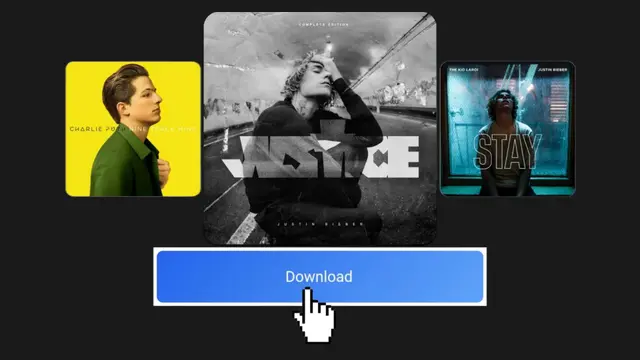
Maybe you don’t need the actual songs—just the playlist structure.
In that case, you can:
- Export playlist as a CSV file
- Use playlist backup tools
- Copy track list manually
This saves:
- Song titles
- Artist names
- Album information
It does NOT download audio—but it protects your playlist organization.
This is useful if you’re worried about losing access to your account.
Why ZIP Format Is Commonly Requested
ZIP files are popular because they:
- Compress multiple files into one
- Make sharing easier
- Reduce storage size
- Simplify transfers
But ZIP only works if you have actual files.
Since Spotify does not provide MP3 files, there’s nothing usable to compress.
Understanding the Difference: Offline vs Ownership
Let’s simplify it clearly:
| Feature | Spotify Download | MP3 Purchase |
|---|---|---|
| Offline Listening | Yes | Yes |
| File Ownership | No | Yes |
| Transfer to USB | No | Yes |
| Create ZIP File | No | Yes |
| Works Without Subscription | No | Yes |
Spotify gives access.
Buying MP3 gives ownership.
That’s the fundamental difference.
If Your Goal Is Offline Listening Only
If you just want offline playback—not ZIP files—Spotify Premium already provides that.
To download a playlist:
- Open Spotify app
- Go to playlist
- Toggle Download
- Wait for green arrows
You can enable Offline Mode to prevent streaming.
This works on:
- Windows
- Mac
- iPhone
- Android
The web player does NOT support downloads.
Storage Considerations
If you’re thinking about downloading and archiving music long term, consider storage needs.
High-quality MP3 files (320 kbps):
- 5–10 MB per song
A 200-song playlist:
- 1–2 GB
Always maintain:
- External hard drive backup
- Cloud storage backup
- Organized folder structure
Digital collections deserve proper management.
Security Warning: Protect Your Account
Never enter your Spotify login credentials into unofficial converter websites.
Red flags include:
- “Login with Spotify to download MP3 ZIP”
- Pop-up download buttons
- Requests for payment after “conversion”
Spotify does not offer ZIP exporting. Any service claiming full automated ZIP downloads is likely violating platform rules.
Protect your account. Protect your data.
Conclusion
You cannot download a Spotify playlist directly as a ZIP file. Spotify’s download feature is designed for offline listening inside the app—not for file ownership or distribution.
If you need a ZIP file of music:
- Purchase the songs legally as MP3
- Download from authorized sources
- Compress into ZIP manually
Streaming gives convenience. Buying gives control.
Choose based on your needs—but always stay safe and respect content rights.
FAQs
1. Can I export a Spotify playlist as a ZIP file?
No, Spotify does not offer ZIP file exports.
2. Are downloaded Spotify songs MP3 files?
No, they are encrypted and locked inside the app.
3. Can I convert Spotify playlist to MP3 ZIP online?
Be cautious—most online tools are unofficial and risky.
4. What’s the safest way to create a music ZIP file?
Purchase MP3 files legally and compress them manually.
5. Does Spotify Premium allow ZIP downloads?
No, Premium allows offline listening only.