Download Spotify Songs on Android Without Errors Using Spotidown.org
Streaming music is convenient. You open Spotify, tap your favorite playlist, and instantly dive into a world of sound. But what happens when your internet connection disappears? Or when your data plan starts screaming at you? That’s when offline music becomes your best friend.
If you’re looking for a way to download Spotify songs on Android without constant errors or failed downloads, Spotidown.org might be the solution you’ve been searching for. In this guide, we’ll walk through the entire process in simple, easy-to-follow steps—without the tech jargon and confusion. Let’s get started.
Why Download Spotify Songs on Android?
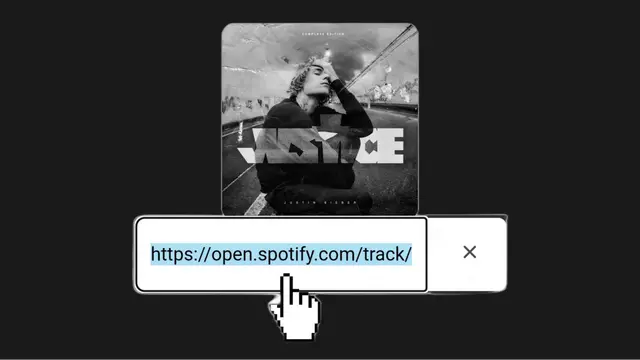
Spotify is amazing for streaming, but it comes with limitations. Offline downloads inside the app require a Premium subscription. And even then, those downloads stay locked inside Spotify. You can’t transfer them or use them outside the app.
Downloading songs as MP3 files gives you more control. You can:
- Play music offline anytime
- Transfer songs to another device
- Share files between apps
- Keep access even without a subscription
Think of streaming like renting a car. It works great—until the rental period ends. Downloading music files is like owning the car. It’s yours to use whenever you want.
What Is Spotidown.org?
Spotidown.org is a web-based tool that allows users to download Spotify tracks by pasting a song or playlist link into the website. It processes the link and generates downloadable audio files, usually in MP3 format.
The best part? You don’t need to install complicated software on your Android device. Everything works directly through your browser.
However, to avoid errors, you need to follow the right steps carefully. Skipping small details can lead to broken links or incomplete downloads.
Things You Need Before Starting

Before jumping into the process, make sure you have:
- A stable internet connection (Wi-Fi is recommended)
- The Spotify app installed on your Android phone
- A modern browser like Chrome
- Enough storage space on your device
To check storage on Android:
- Go to Settings
- Tap Storage
- Make sure you have enough free space
Running out of storage mid-download is one of the most common reasons for errors.
Step-by-Step Guide to Download Spotify Songs on Android

Now let’s walk through the exact process to download Spotify songs using Spotidown.org without facing annoying errors.
Step 1: Copy the Spotify Song or Playlist Link
- Open the Spotify app.
- Navigate to the song or playlist you want.
- Tap the three dots (⋮).
- Select Share.
- Tap Copy Link.
The link is now saved to your clipboard.
Step 2: Open Spotidown.org in Your Browser
- Open Chrome or your preferred browser.
- Type spotidown.org into the address bar.
- Press Enter.
Make sure you’re on the correct website. Avoid clicking random ads or pop-ups.
Step 3: Paste the Link
- Tap inside the search box on the homepage.
- Paste the Spotify link.
- Tap the Download or Submit button.
The site will begin processing the link. This may take a few seconds, especially for large playlists.
Step 4: Download the Songs
Once processing is complete, you’ll see a list of available tracks.
- Tap the Download button next to a song.
- Confirm the download if prompted.
Your file will start downloading immediately. You can monitor progress in your notification bar.
Repeat this for each song if you’re downloading multiple tracks.
How to Avoid Common Download Errors
Let’s be honest—nothing is more frustrating than a failed download. Here’s how to prevent common problems:
1. Make Sure the Playlist Is Public
Private playlists may not process correctly. If needed, temporarily set your playlist to public in Spotify settings.
2. Clear Browser Cache
If the site isn’t loading properly:
- Go to browser settings
- Clear cache and cookies
- Restart the browser
3. Avoid Multiple Tabs
Downloading too many files at once can slow things down. Download one or two songs at a time for smoother results.
4. Use Stable Wi-Fi
Weak signals often cause incomplete downloads.
5. Disable Aggressive Ad Blockers
Some ad blockers interfere with the download button.
Small fixes like these make a big difference.
Where Do Downloaded Songs Go on Android?
By default, downloaded files are saved in your Downloads folder.
To access them:
- Open File Manager
- Tap Downloads
- Locate your MP3 files
From there, you can:
- Play them using your default music player
- Move them into a specific music folder
- Import them into apps like VLC
If you want a smoother experience, consider organizing all downloaded tracks into a single “Music” folder. It keeps things clean and easy to manage.
Is It Safe to Use Spotidown.org?
Safety depends on how carefully you use the site.
To stay secure:
- Avoid clicking suspicious pop-ups
- Don’t download extra software
- Use trusted browsers
- Keep your device updated
Also, remember that downloading copyrighted music outside official platforms may violate Spotify’s terms of service. Use downloaded files responsibly and only for personal use.
Final Thoughts
Downloading Spotify songs on Android using Spotidown.org can be simple and smooth—if you follow the right steps. From copying the playlist link to accessing MP3 files in your Downloads folder, the process takes only a few minutes per track.
The key is preparation. Stable internet, enough storage, and careful clicking make all the difference. When done correctly, you’ll have your favorite tracks saved directly on your Android device—ready to play anytime, anywhere.
Streaming is convenient. But having your music stored locally? That’s freedom. Whether you’re traveling, saving data, or just want more control, downloading your Spotify songs can give you that extra peace of mind.
Navigation
Descargador de álbumes de Spotify
Laden Sie die Spotify Playlist
lista de reproducción de spotidown
Spotidown – Baixar Músicas do Spotify em MP3 Grátis